ExtraDepoWarehouse Management System (WMS)
Inventory tracking, quick sales, warranty service, and reporting. All on one platform, integrated with your ERP.
If you deal with these problems every day, ExtraDepo is made for you.
Warehouse counts take hours, operations come to a halt.
Complete counts in minutes with barcode/QR scanning.
Stock data is outdated and doesn't match the ERP.
Real-time ERP synchronization, always up-to-date stock.
Shipments are delayed, wrong products are dispatched.
Automated order picking and barcode-verified shipping.
By the time reports are ready, the data is already outdated.
Real-time dashboards and automated reporting.
Integrated modules covering every stage of your warehouse operations
Register incoming goods quickly and accurately
Place products in the most suitable locations
Real-time inventory tracking and control
Automated picking and shipping planning
Mobile operations with Android handheld terminals
Fast sales transactions from a single screen
Warranty tracking and service management
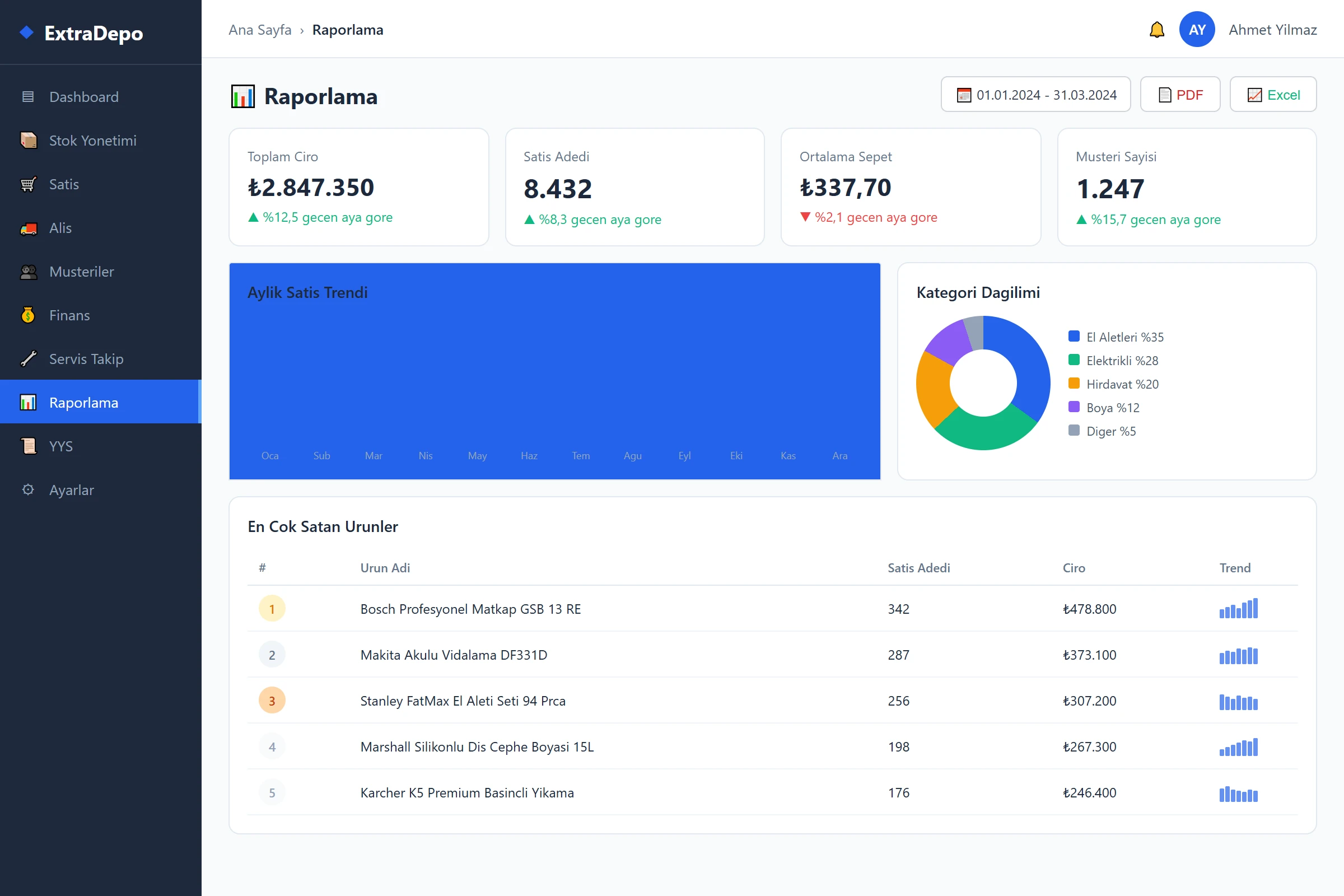
Advanced reporting and analytics
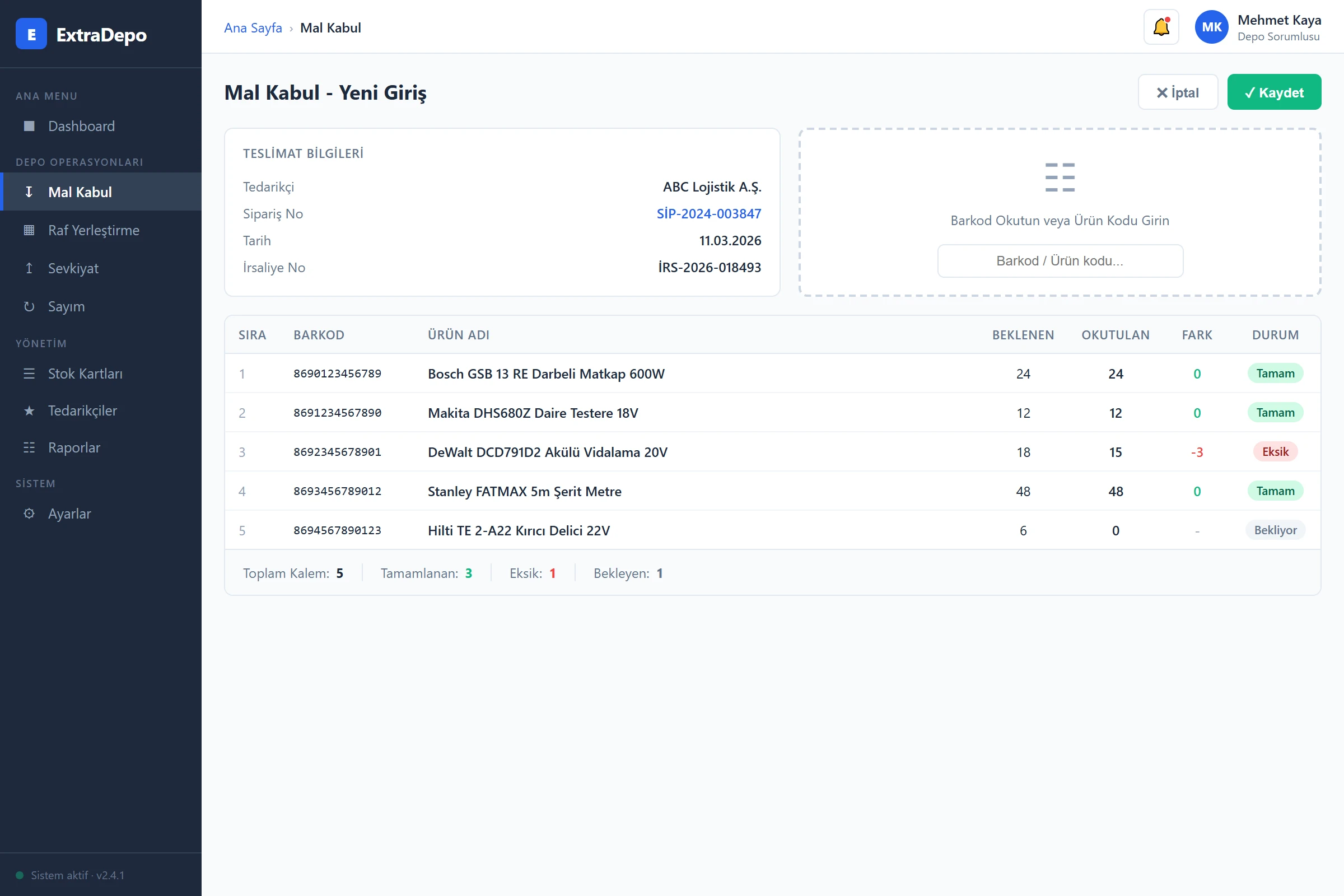
Receive incoming goods by scanning them. ExtraDepo matches the scanned item against the open purchase order and shows quantity differences at the dock. Lot and batch details are recorded on the same screen, and items that fail quality control can be set aside before they enter stock. Once receipt is complete, the stock movement is written to your ERP.
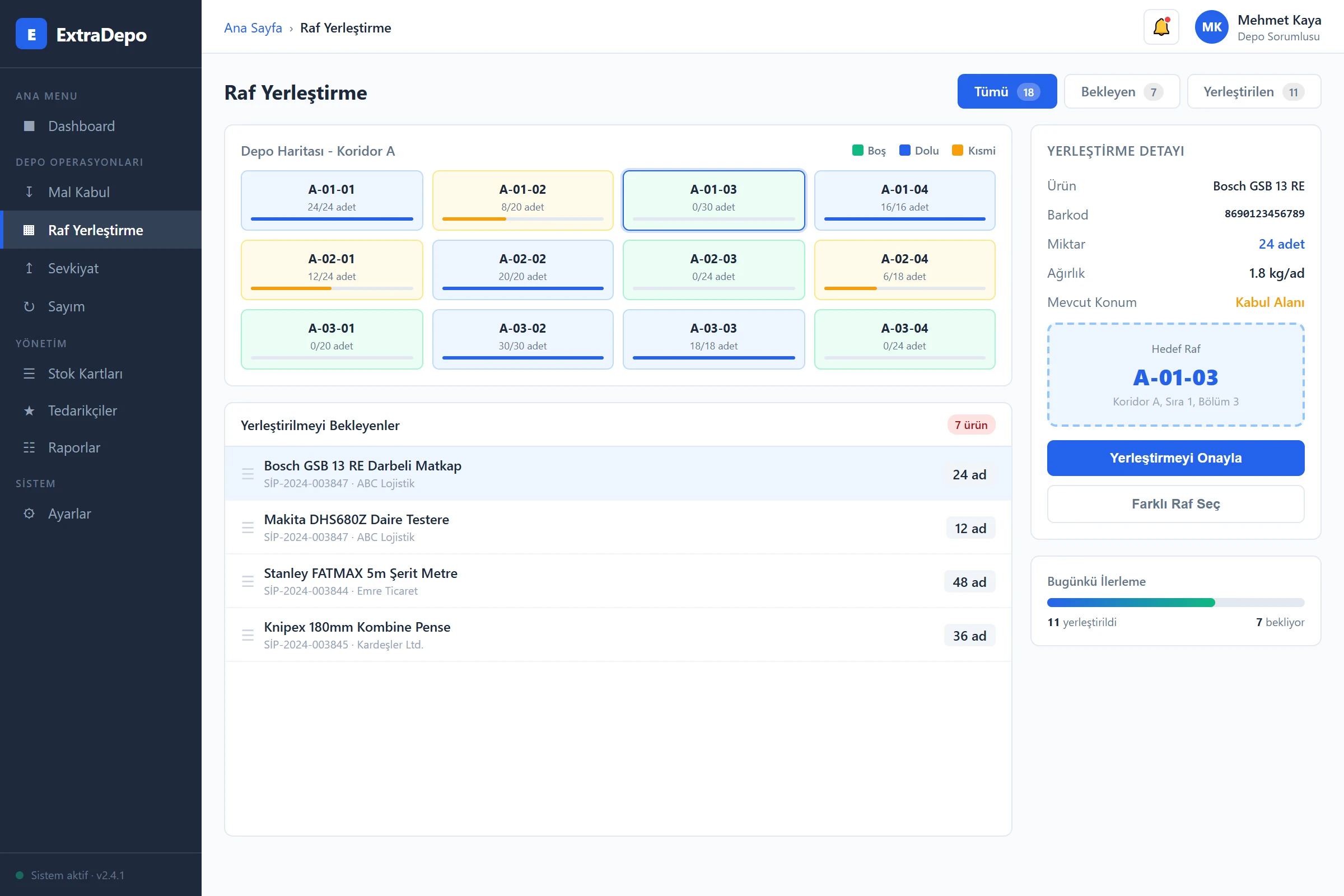
The system suggests which shelf an item should go to, taking your layout and current occupancy into account so empty space is used well. The operator confirms placement on the handheld, which records the exact shelf address for every item. The placement report lets you trace afterwards what went where.
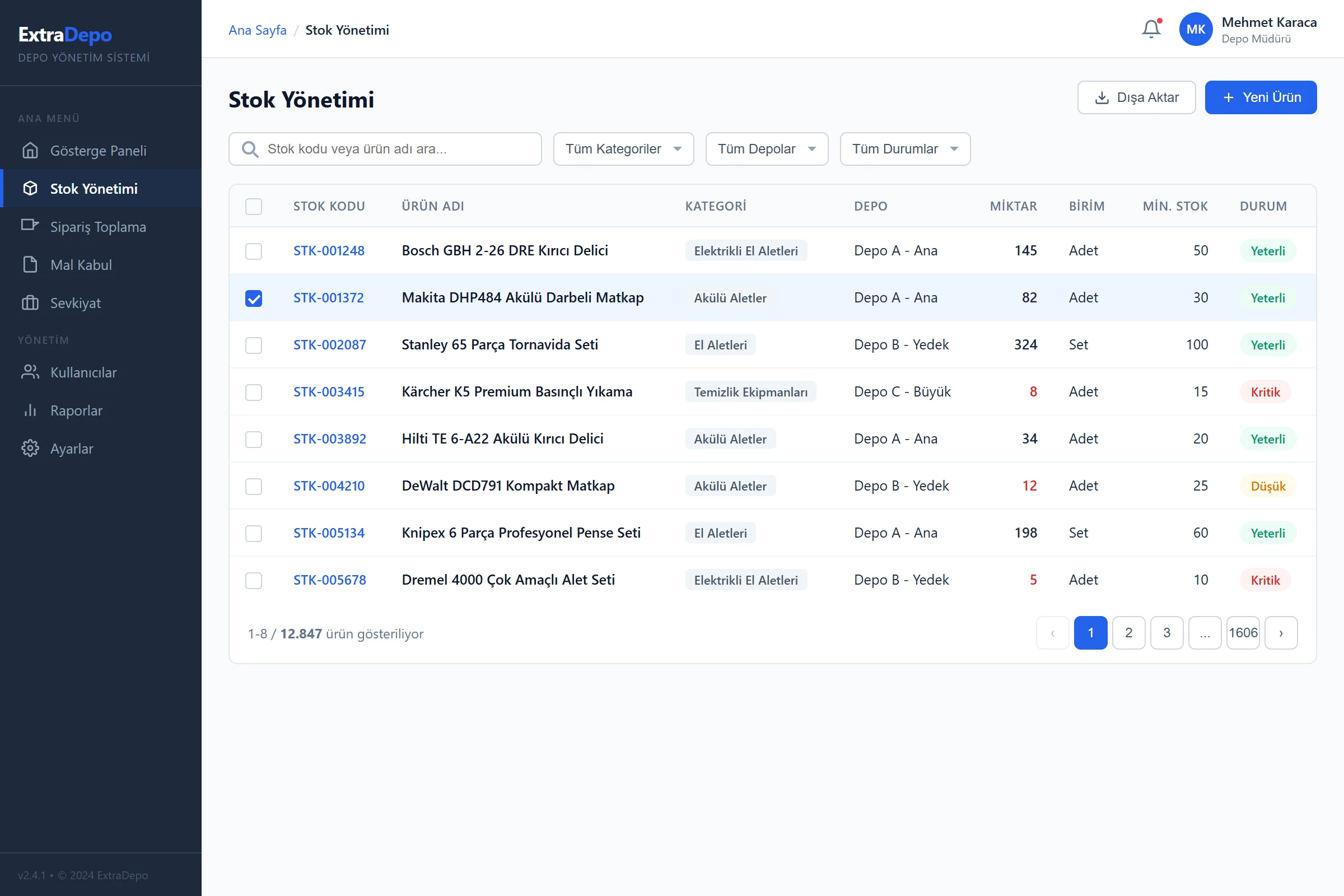
Set a minimum and maximum level per item; anything that drops below is flagged. Counts run on the handheld so the warehouse keeps working, and transfers between warehouses are handled from one screen. Every movement is kept with its date and the user who made it.
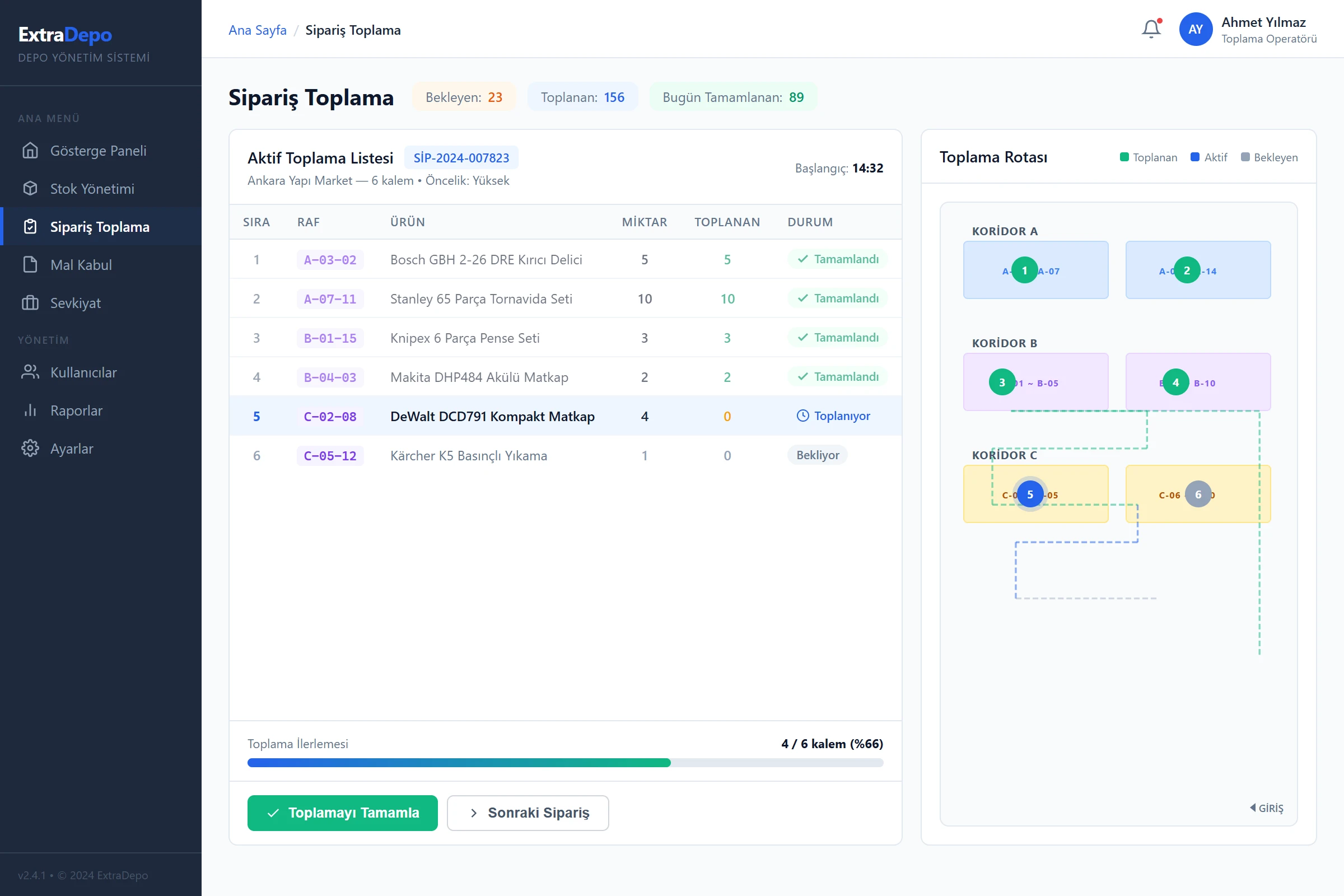
When an order arrives the picking list is generated and sent to the picker’s handheld. Each item is verified by barcode, so a wrong item or a short quantity never reaches the loading door. On completion, invoice and dispatch details are passed back to the ERP.
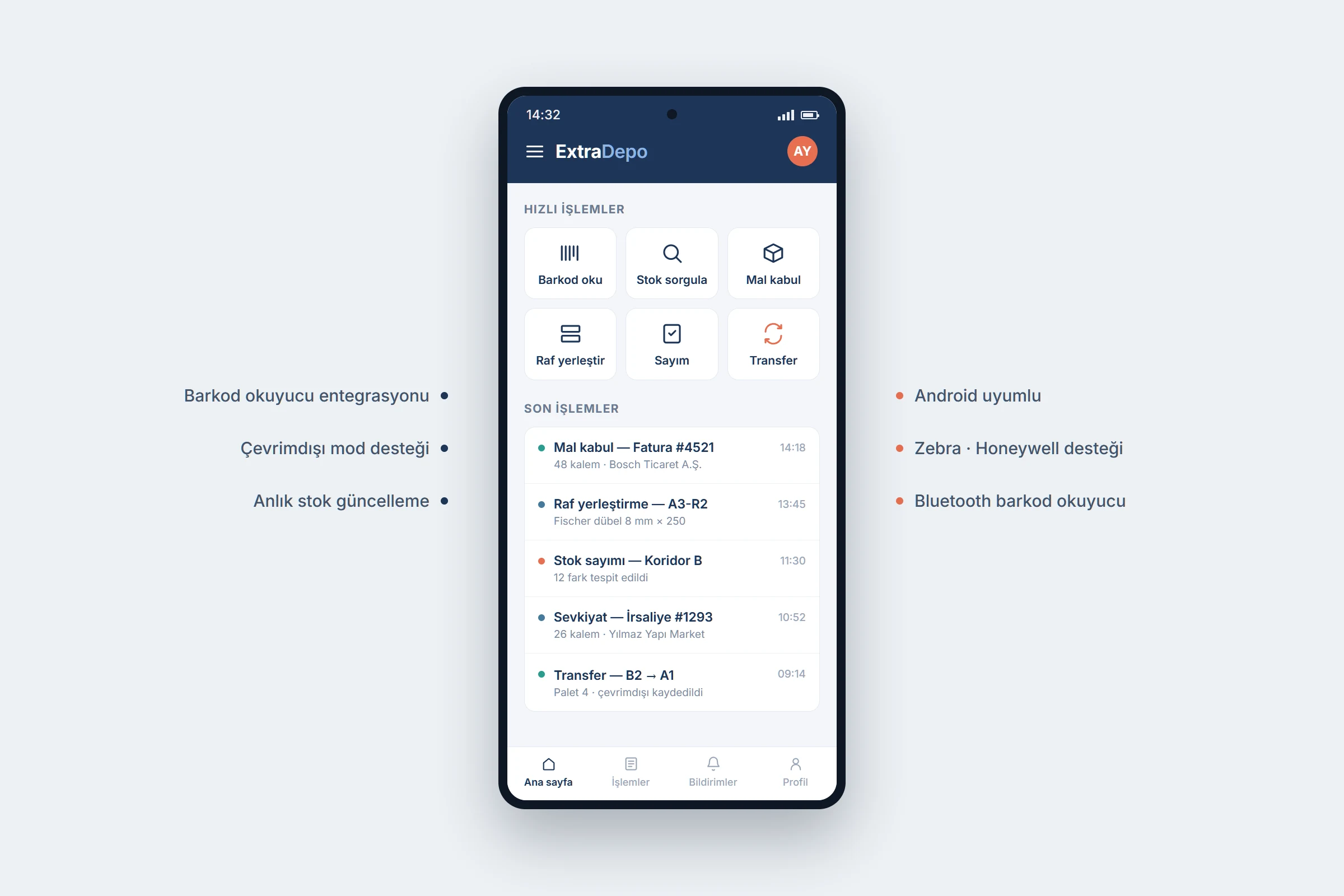
Android handhelds let every step — receiving through counting — happen in the aisle, next to the goods. Barcode and QR scanning are built in; if the connection drops, work continues offline and syncs when it returns. User authorisation means each operator sees only their own tasks.
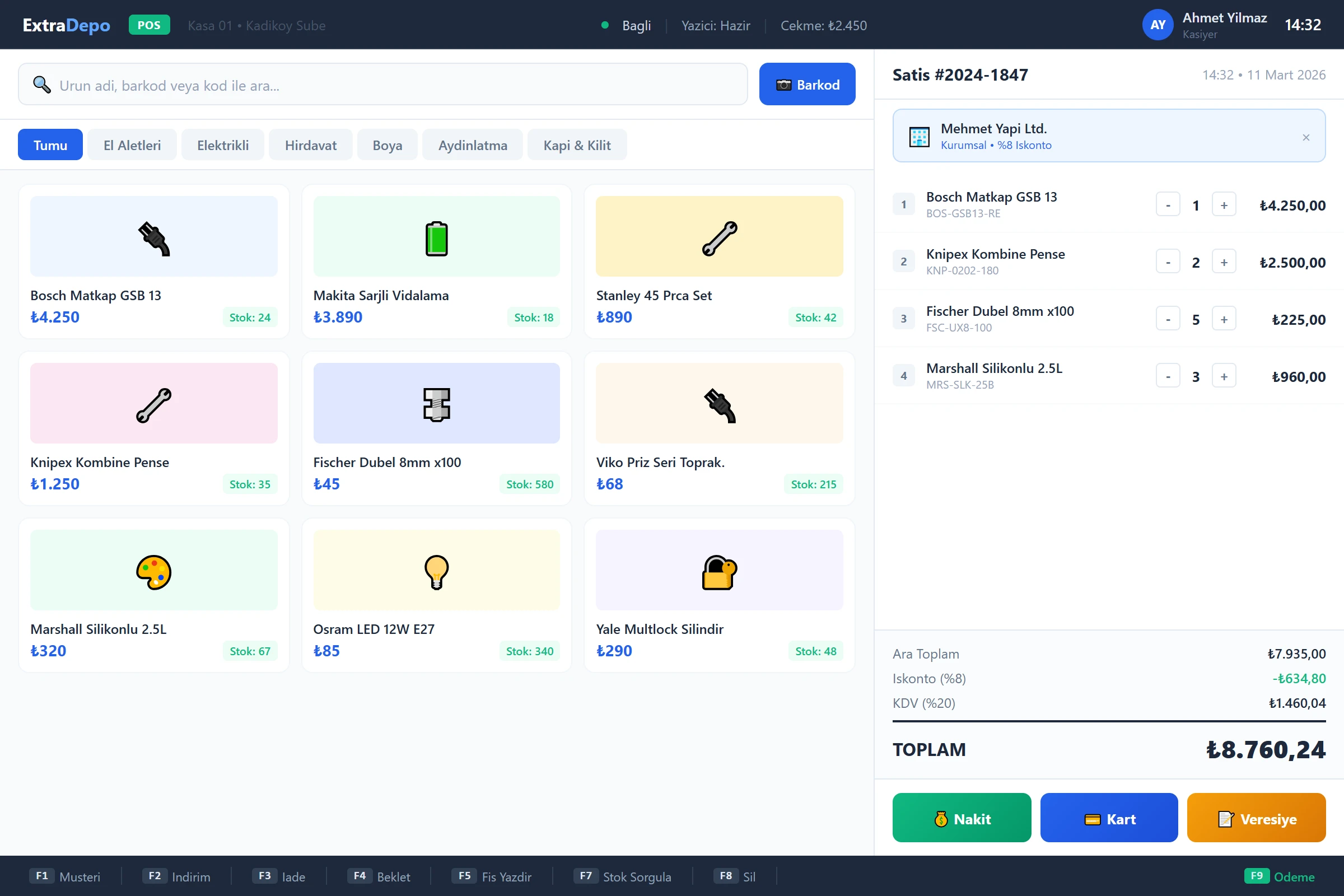
Handle counter sales on one screen: product search, multiple payment methods and the sale itself run in a single flow. The item leaves warehouse stock at the same moment, so no separate adjustment is needed.
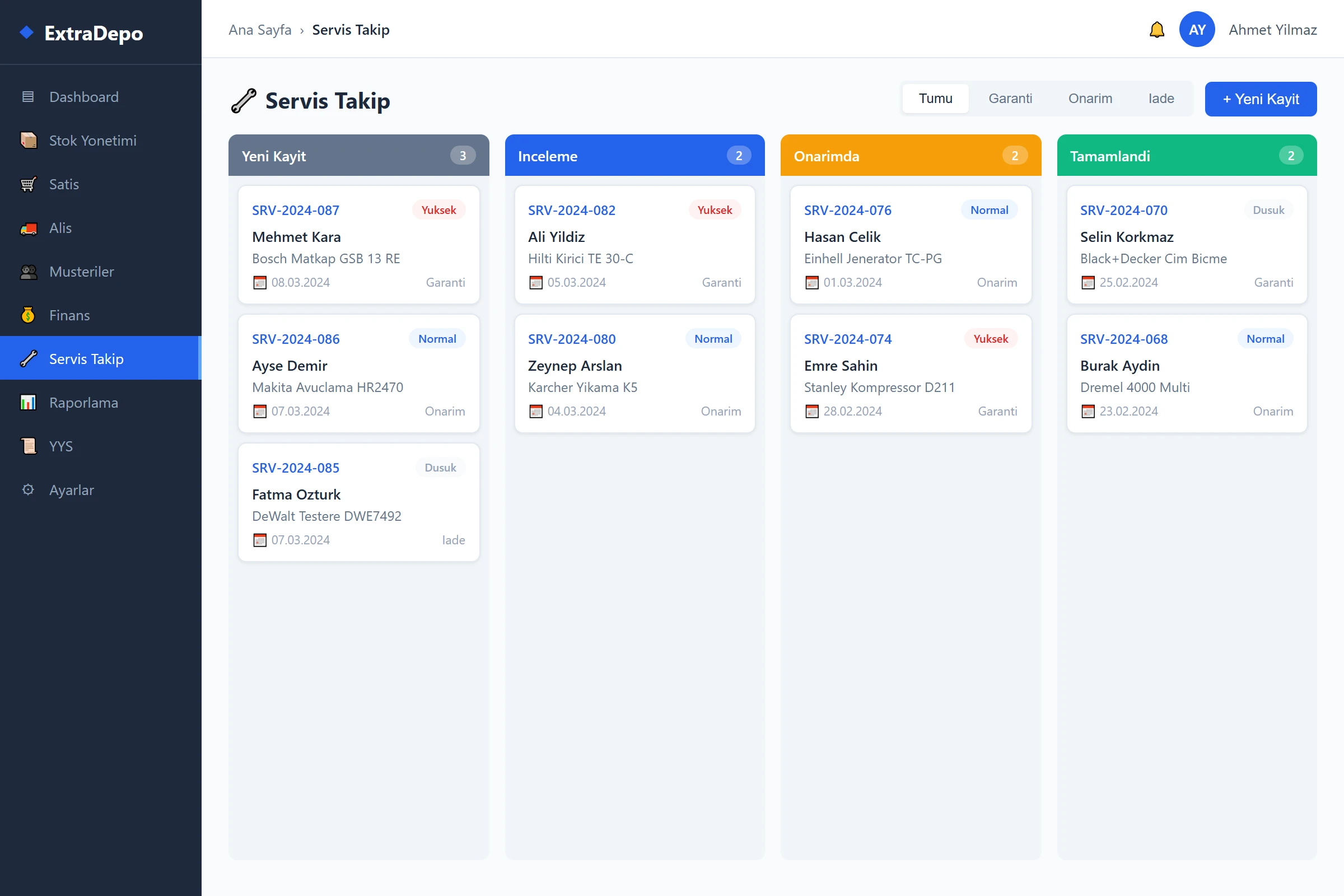
Track the warranty period of what you sold; when an item comes in for service, its customer and service history is on one screen. Costs are recorded against service jobs, so it becomes visible which products generate the most service load.
Follow warehouse activity as it happens: which items move most and how much work each operator completes. Reports export to Excel or PDF for sharing with your team.
ExtraDepo integrates seamlessly with your existing ERP system.
Integrate via RESTful API
Real-time data synchronization
Solutions tailored to your needs
ExtraDepo is a warehouse management system (WMS) that sits on top of your existing ERP. Your ERP knows what was bought and what was sold; ExtraDepo knows what is happening inside the warehouse — which shelf an item sits on, which batch it came from, who moved how many and when. Those questions fall outside the scope of an ERP stock module. Because the two systems talk to each other, you do not keep stock figures in two places and hunt for the difference.
You do not need to replace your ERP. ExtraDepo is installed to work with Logo, Mikro, Netsis, Odoo and SAP; it takes over warehouse operations while accounting and commercial processes stay where they are.
Item records, customer data, purchase and sales orders come from your ERP. Warehouse staff do not re-enter anything.
Receiving, shelving, counting, picking and shipping are carried out on the handheld, next to the goods.
Stock movements, invoice and dispatch details are written to your ERP. Accounting waits for no separate transfer.
Either. If your ERP sits inside the company and you would rather data never left it, ExtraDepo is installed on your own server. If several branches or warehouses need access, a cloud installation is simpler. We decide together, based on your existing setup.
ExtraDepo is built for companies that have a warehouse and are tracking stock movements on paper or in spreadsheets. What matters most differs by sector:
Expiry dates and batch tracking are mandatory. Lot details are captured at receiving, and you decide which batch leaves first during picking.
Orders arrive from several channels and need to leave quickly. Picking lists are generated automatically and shipments are verified by barcode.
Raw material and finished goods have to be tracked separately, and on a return you need to find where a batch went. Movement history is kept with user and timestamp.
If you store someone else’s goods, every movement needs a record and a report. Inter-warehouse transfers and shelf-level tracking exist for that.
Proven results and customer satisfaction
Every item has a recorded shelf address, so “where is it” is answered by looking at a screen rather than walking the aisles.
Counts run shelf by shelf on the handheld. Writing on paper and typing it in later disappears as a step.
Every pick is verified against its barcode, so a wrong item or short quantity is caught before the loading door.
Warehouse movements are written to the ERP, so there is no second stock list to reconcile.
18+ years of experienced team
Modules tailored to your business
A WMS runs the work inside the warehouse: receiving goods, placing them on shelves, counting them, picking them against orders and shipping them. What separates it from an ERP stock module is that it tracks location and process alongside quantity. ExtraDepo brings these together as receiving, shelving, inventory, shipping, quick sales, warranty-service and reporting modules.
On an Android handheld you scan a barcode or QR code to carry out receiving, shelving, counting, picking and shipping right where the goods are. Writing on paper and entering it later disappears; the transaction is recorded as it happens. Where coverage is poor, offline mode takes over.
No. ExtraDepo does not replace your ERP, it sits on top of it. Accounting, invoicing and commercial processes stay in your ERP; ExtraDepo takes over warehouse operations and writes the results back.
We have working integrations with Logo (Tiger, Go 3, Go Plus), Mikro, Netsis, Odoo and SAP. For an ERP that is not on the list, we look at whether the system is open to data exchange and build a custom integration.
Either. If data should not leave the company, it is installed on your own server. If several branches or warehouses need access, a cloud installation is more practical.
No. The handheld application supports offline working; transactions are held on the device and synchronise once the connection returns.
It works with Android-based handheld terminals. Barcode and QR scanning are built into the application, so no separate scanner software is required.
An ERP stock module knows quantity: how many you have. A WMS knows location and process: which shelf those units sit on, which batch they came from, who moved them and when.